One document problem. Three AI builds.
Pulling line items out of supplier invoices and work orders is the most requested AI job we see. We built it three different ways. Here's what each one wins, what each one costs, and how to tell which is yours.


by Prateek Sharma, AI Engineer
Somewhere in your business, a person is reading a PDF and typing what it says into a system that already has a field for it.
Supplier invoices. Purchase orders. Work orders. Delivery notes. Every vendor formats them differently, half arrive as scans, and the ones that arrive as clean digital files still put the totals in a different place each time. The work is dull, it's expensive, and it's the single most common thing companies ask us to automate.
It's also the job where the "which AI should we use?" question has the least obvious answer. So rather than argue about it, we built the same extraction feature three different ways and compared them on the things that decide a project: accuracy, speed, what it costs to run, and how long it takes to get live.
The figures in this piece are illustrative — a realistic shape drawn from work we've done, not a published benchmark. The point isn't our numbers; it's the pattern, and the calculator further down that runs the comparison on yours.
One note on why this comparison keeps mattering even as models change. Model prices fall and capabilities rise, but the ratio between a frontier model and a small one for a narrow, repetitive task has stayed roughly an order of magnitude for years. The specific numbers date quickly. The shape of the decision doesn't.
The three builds
Same input, same twelve fields out, same test set of documents from a spread of vendors including scans and photos taken on phones.
Build explorer
Three approaches to the identical job.
Hand the whole document to a frontier model and ask for JSON
The fastest thing that works. You send the page image or text, describe the twelve fields you want, and get structured data back. No training, no labeled examples, no pipeline. For a first version this is almost always the right starting point, and for low volumes it's often the right ending point too.
It handles novelty well. A vendor you've never seen, an unusual layout, a handwritten note in the margin — a large model copes with all of it without anyone touching the code. That tolerance is exactly what you're paying for.
Where it wins
- Live in days, not weeks
- Handles unseen layouts gracefully
- No labeled data needed
- Easy to change when requirements move
Where it hurts
- Highest cost per document by a wide margin
- Slowest response of the three
- Output format drifts unless you constrain it
- Economics break down as volume climbs
Smaller model, rigid output schema, validation and retry
The same prompt-based approach on a cheaper, faster model — but you stop trusting the model to format correctly and make the system enforce it. You declare the schema, validate every field that comes back, and automatically retry the ones that fail with the error fed back in.
This is where most of the engineering value sits, and it's the step teams skip. A smaller model is worse at freeform output but close to as good once the task is narrow and the shape is fixed. Business rules do the rest: a date must parse, a total must equal the sum of lines, a currency must be in your allowed list. Anything that fails goes to a human instead of silently into your ledger.
Where it wins
- Roughly an order of magnitude cheaper to run
- Much faster responses
- Validation catches errors the model can't see
- Still no labeled training data required
Where it hurts
- Real engineering effort, not a prompt change
- Weaker on layouts it has never seen
- Retries eat part of the cost saving
- Rules need maintaining as vendors change
Fine-tune a small model on your own labeled documents
Take a couple of thousand of your real documents, label the correct answer for each field, and train a small model to do this one job. It won't write poetry afterwards, but it will read your vendors' invoices better than a general model does, faster, and for the least money per document of the three.
The cost is front-loaded and it's mostly human: writing labeling guidelines, labeling, measuring whether your labelers agree with each other, and fixing the guidelines when they don't. That work is unglamorous and it is the whole project. Teams that treat labeling as a formality get a model that confidently reproduces their own inconsistencies.
Where it wins
- Lowest cost per document at volume
- Fastest responses
- Learns your vendors' quirks and vocabulary
- Runs on modest hardware, including on-premise
Where it hurts
- Weeks before anything is usable
- Needs labeled data and someone to own quality
- Brittle when a genuinely new layout appears
- Retraining is a recurring cost, not one-off
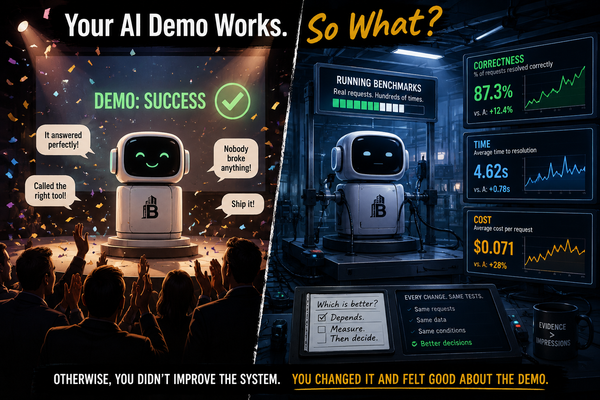
The interesting finding wasn't which build won. It was that the cheapest build became the most accurate one — but only after someone did the boring data work.
What the comparison looks like
Accuracy here is measured per field, not per document, for reasons covered further down. Run cost is expressed relative to Build A, because ratios survive price changes and absolute figures don't.
| A — Large, prompted | B — Small + schema | C — Fine-tuned small | |
|---|---|---|---|
| Field accuracy | 94% | 93% | 96% |
| Time per document | ~4.0s | ~1.2s | ~0.9s |
| Run cost per document | 1.0× | 0.08× | 0.05× |
| Time to live | Days | 1–2 weeks | 3–4 weeks |
| Upfront cost | None | Engineering only | Labeling ~2,000 docs |
| New vendor layout | Handles it | Usually handles it | Often needs retraining |
Illustrative figures for a twelve-field extraction task across mixed-quality documents. Treat the pattern as the finding, not the digits.
Read the table as a shape rather than a scoreboard. Build A wins on time-to-live and resilience. Build C wins on everything that matters once you're running at volume, provided the documents keep looking roughly the same. Build B is the one most teams should be on, because it captures most of the cost saving without the labeling project.
The accuracy result is worth sitting with. The fine-tuned small model beat the frontier model not because it's a better model — it plainly isn't — but because it had seen two thousand examples of exactly this task, labeled by people who knew what the right answer was. Data beat model size on a narrow task. That's not a surprising result to anyone who has done it, and it's consistently surprising to everyone who hasn't.
How we'd actually choose
- Under ~5,000 documents a month — Build A. The run cost barely registers and you'll be live next week.
- 5,000 to 50,000, layouts fairly stable — Build B. This is the sweet spot for most businesses.
- Above ~50,000, or tight latency, or data must stay on-premise — Build C. The labeling cost pays back quickly at this volume.
- Layouts change constantly, or vendors churn — stay on A or B regardless of volume. Fine-tuning rewards stability and punishes change.
And one that applies to all three: route low-confidence fields to a human. Every build above has a confidence signal available, and a review queue for the bottom few percent delivers more real-world accuracy than any amount of model upgrading.
The part that does most of the work
Across all three builds, the single highest-leverage piece of code was the validator, not the prompt. Declaring the output shape and checking it against business rules turns an unreliable component into a reliable system — and it's the same handful of lines regardless of which model sits underneath.
# Don't trust the model to be correct. Make the system prove it.
from datetime import datetime

REQUIRED = ["invoice_no", "vendor", "date", "currency", "total", "lines"]

def validate(doc, allowed_currencies):
    errors = []

    for field in REQUIRED:
        if doc.get(field) in (None, "", []):
            errors.append(f"missing: {field}")

    try:
        datetime.strptime(doc["date"], "%Y-%m-%d")
    except (KeyError, ValueError):
        errors.append("date not in YYYY-MM-DD")

    if doc.get("currency") not in allowed_currencies:
        errors.append(f"unexpected currency: {doc.get('currency')}")

    # The check that catches the most real errors: does the maths work?
    line_total = sum(l["qty"] * l["unit_price"] for l in doc.get("lines", []))
    if abs(line_total - doc.get("total", 0)) > 0.02:
        errors.append(f"lines sum to {line_total}, total says {doc.get('total')}")

    return errors

# Failed once -> retry with the errors fed back in.
# Failed twice -> human review queue. Never silently accept.
Run it on your numbers
Our figures don't matter; yours do. Enter your volumes below. Everything is calculated in your browser and nothing is sent anywhere.
Build comparison calculator
Currency-neutral — use whatever unit you think in.
Monthly figures include the human review queue at the percentage you set. Build B and C run costs are derived from Build A using the ratios in the table above. Labeling is shown as a one-off and amortised over twelve months in the comparison.
The measure that decides everything
Most extraction projects are evaluated on the wrong number. "The model is 94% accurate" usually means 94% of documents were perfect, which tells you almost nothing useful — a document with eleven correct fields and one wrong total counts as a failure, and so does one with twelve wrong fields.
Measure per field, and weight the fields by what it costs you to get them wrong. A misread invoice number is an annoyance someone fixes in a minute. A misread total is money leaving the business. Those should never share a score.
- Accuracy per field, not per document — so you can see which field is actually failing and fix that one.
- Weighted by cost of error — the total, the currency and the vendor matter more than the description line.
- Separate "wrong" from "didn't answer" — a field the system declined to guess is a success, because it went to review instead of into your accounts.
- Track the review rate too — a build that's perfectly accurate by sending 40% to humans hasn't automated anything.
If you can't say which field is your worst performer, you don't yet have a measurement system — you have an impression. Fixing that is a two-day job and it usually saves weeks.
How to run this comparison yourself in a week
- Day 1 — collect 200 real documents spanning your messiest vendors, and write down the correct answer for each field by hand.
- Day 2 — build A. A prompt, a schema, a loop over your 200 documents.
- Day 3 — score it per field. You now have a baseline that no opinion can argue with.
- Day 4–5 — swap in a smaller model, add validation and retry, and score again on the same 200.
- End of week — you'll know whether fine-tuning is worth scoping, and you'll have the evaluation set that every future change gets measured against.
That last point is the one worth keeping. The models in this comparison will all be superseded. The 200 labeled documents won't be — they'll still be telling you, two years from now, whether the newest thing is actually better for your business or just newer.
Work with us
Got a pile of documents and a person retyping them?
Protovate builds AI-powered products for enterprise and consumer clients — document and data extraction, conversational agents, voice systems, and native mobile apps, along with the model training and labeling work underneath them. Send us a sample of your messiest documents and we'll tell you which of the three builds fits.
Talk with our teamOriginally published on Protovate.AI
Protovate builds practical AI-powered software for complex, real-world environments. Led by Brian Pollack and a global team with more than 30 years of experience, Protovate helps organizations innovate responsibly, improve efficiency, and turn emerging technology into solutions that deliver measurable impact.
Over the decades, the Protovate team has worked with organizations including NASA, Johnson & Johnson, Microsoft, Walmart, Covidien, Singtel, LG, Yahoo, and Lowe’s.
About the Author